
Pexally
Invoices
Receive international payments without the PayPal and Stripe headaches.
Pexally Invoices turns your WordPress site into a premium white-label billing hub. Send beautiful payment links, automate your email follow-ups via Google SMTP, and accept global credit card/PayPal payments—even if you don’t have your own merchant account.
Important: After downloading, install the plugin on your WordPress site to configure your billing details.
Download the ZIP, install it in WordPress, and start invoicing.
The core plugin is free. After installation, open the plugin inside your WordPress dashboard to configure your payment settings and create your first invoice.
Click the download button and save the Pexally Invoices plugin ZIP file.
Go to WordPress Dashboard → Plugins → Add New → Upload Plugin.
Install and activate Pexally Invoices from your WordPress plugin screen.
Open Pexally Invoices in your dashboard and create your first professional invoice.
Cross-border payments shouldn’t be a nightmare.
Maintaining your own business PayPal or Stripe account for international clients is incredibly complex. You have to handle strict account compliance, rolling reserves, state taxes, and endless document verifications. One mistake, and your funds are frozen. We fix that.
The Old Way (Hard)
Struggling with international banking restrictions, unexpected account bans, and complex tax reporting just to get paid for your freelance work.
The Pexally Way (Easy)
You send a branded invoice from your website. We handle the compliance, cross-border processing, and taxes. You request a simple payout to your local bank.
Use your own PayPal — or use our Central Payment Gateway.
Pexally Invoices is designed for both types of users: established businesses who already have their own tax/merchant setup, and freelancers/agencies who need a reliable, hands-off way to receive global funds.
See the plugin interface before you install.
Pexally Invoices gives you a clean, lightning-fast WordPress dashboard experience. No page reloads, no layout shifts—just pure productivity.
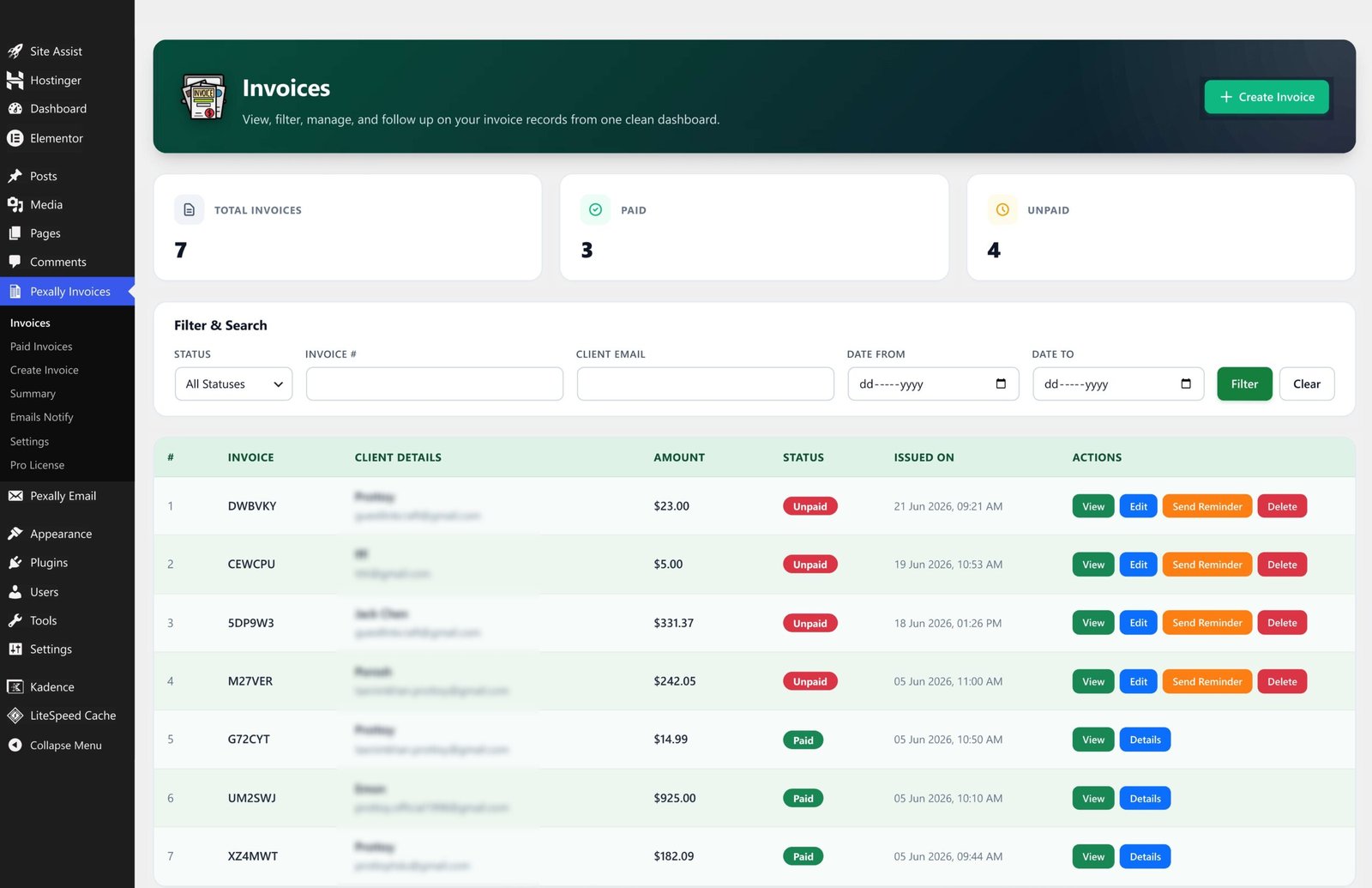
Real-Time Dashboard
Monitor all your invoices, filter by status, and quickly send automated payment reminders directly from the main view.
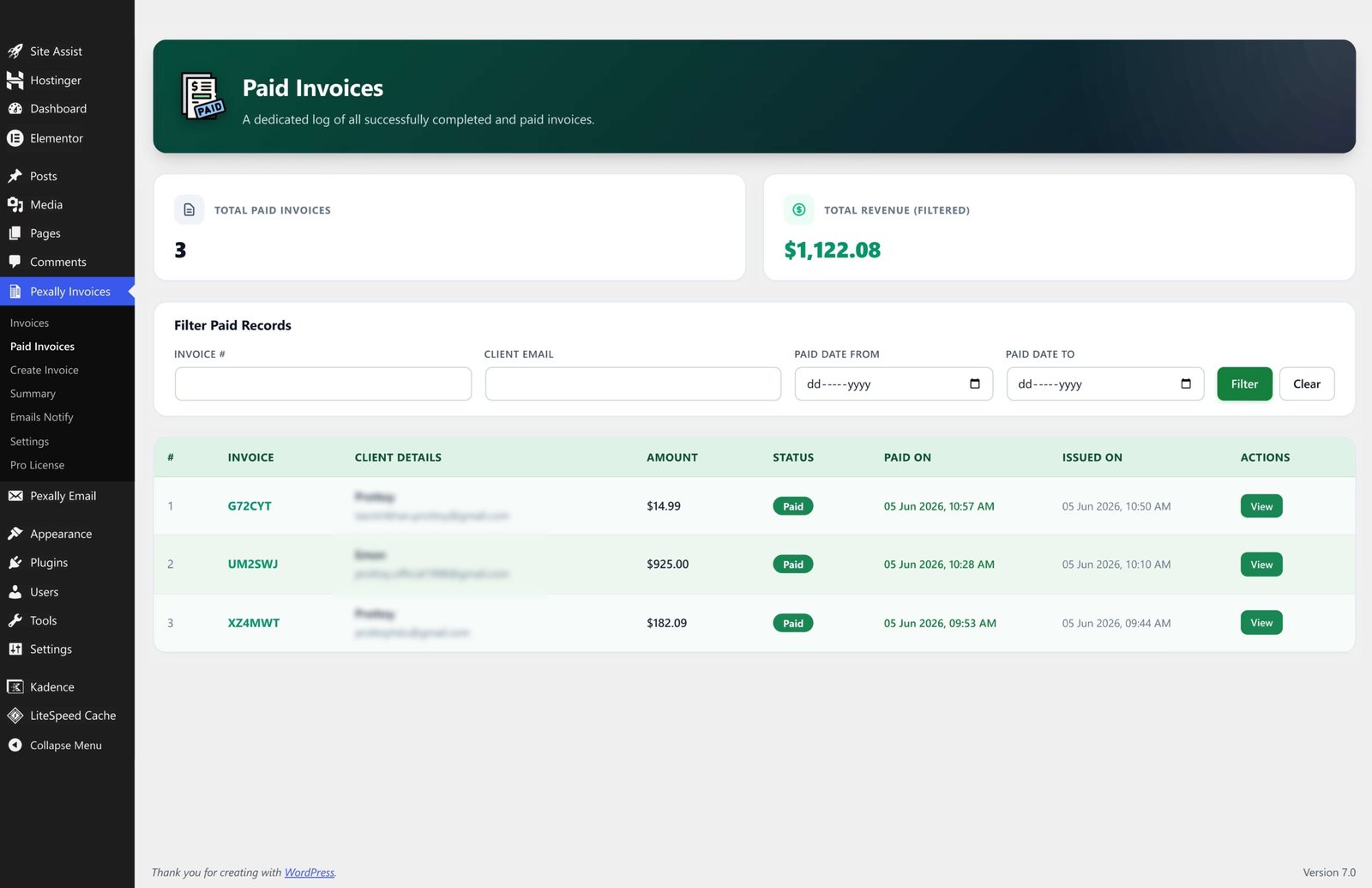
Dedicated Paid Ledger
Keep your workspace organized. Review completed payments in a separate, dedicated log without cluttering your main dashboard.
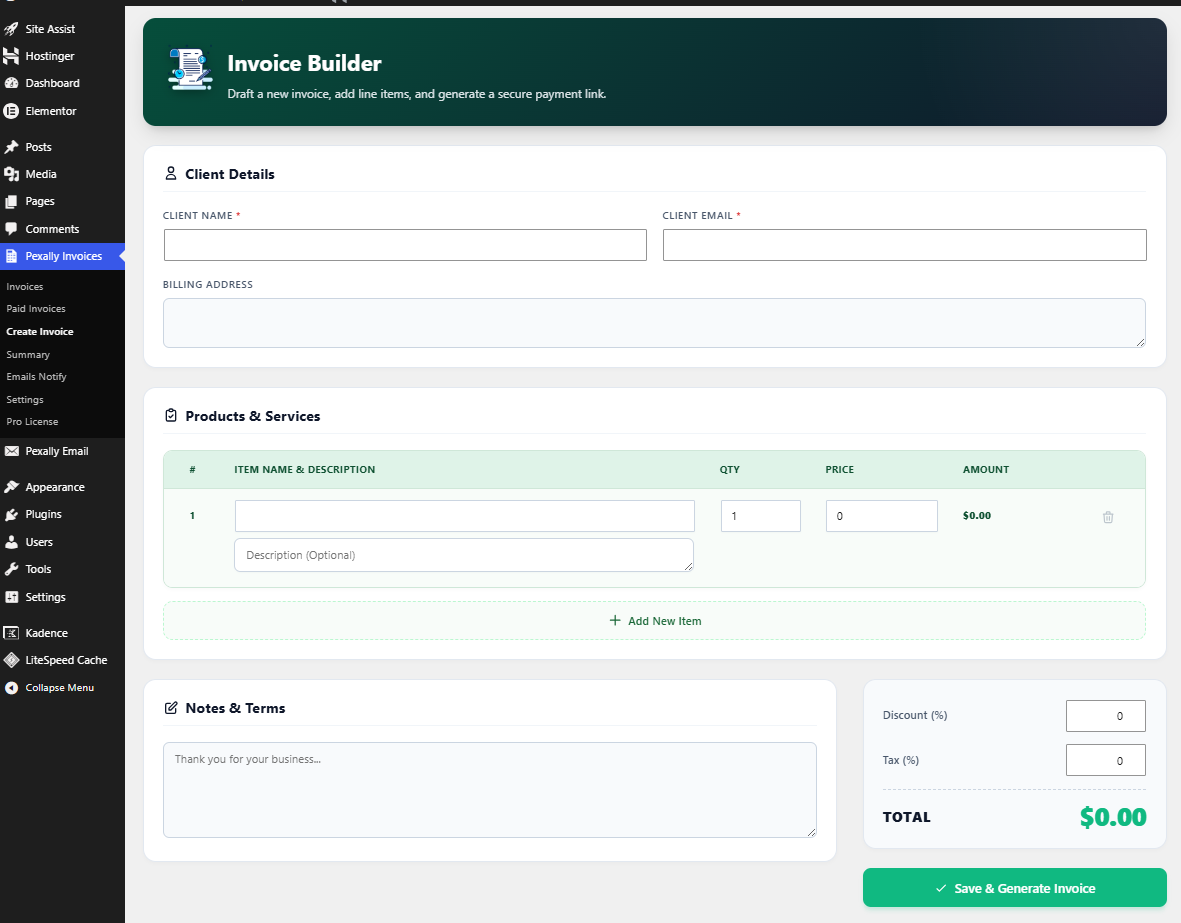
Invoice Builder
Draft new invoices, add line items, apply taxes/discounts, and generate secure payment links in seconds.
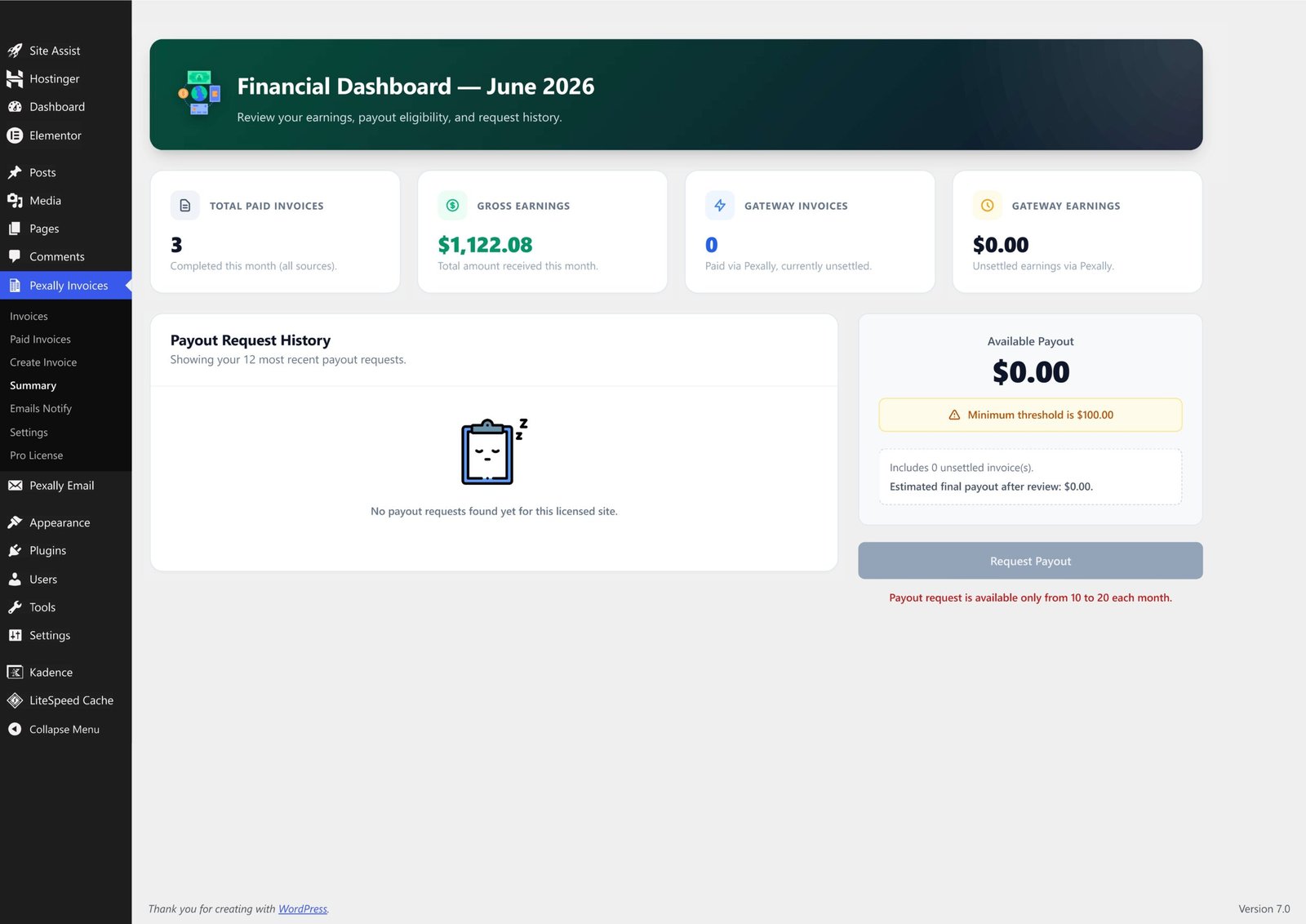
Financial Summary
Track your gross earnings, available balances, and request direct bank wire payouts seamlessly.
Everything you need to invoice clients professionally.
A completely overhauled SaaS-style invoicing workflow built right into your WordPress dashboard.
White-Label Branding
Upload your logo, set your primary/secondary brand colors, and add a custom header banner so clients only see YOU.
Light & Dark Mode Invoices
Choose between a sleek, minimal Light Mode or a premium, high-end Dark Mode for your public invoice pages.
Client Dashboard Metrics
Public invoices automatically calculate and display the client’s total invoice history and outstanding due amounts.
Bulletproof SMTP Emails
Send automated New Invoice, Reminder, and Receipt emails securely using built-in Google Workspace (SMTP) integration.
Developer REST API
Generate a secure Bearer Token to read invoice statuses and sync your billing data with external CRMs like HubSpot or Zapier.
Lightning Fast SaaS UI
Manage your business on a beautifully optimized backend dashboard with zero layout shifts and instant fade-in transitions.
Dedicated Paid Ledger
Keep your workspace organized. View all pending invoices in one place, and review completed payments in a separate, dedicated log.
1-Click PDF Export
Clients can instantly download clean, print-ready PDF versions of their invoices for their own corporate tax records.
Streamlined Payouts
Track your gross earnings and eligible balances, then request wire payouts to your bank directly from your WordPress dashboard.
Perfect for freelancers, agencies, and businesses.
Pexally Invoices is built for people who sell services and need a reliable way to send invoices, collect payments, and manage client payment records from their own WordPress website.
Freelancers & Consultants
Send professional invoice links to global clients and receive international payments securely without banking friction.
Digital Agencies
Manage high-ticket project invoices, automate your payment reminders, and keep your brand identity front and center.
B2B Service Providers
Turn your website into a central billing hub, utilizing our REST API to keep your sales and accounting teams synced.
International Sellers
Work with clients outside your country using a seamless checkout workflow that handles the cross-border heavy lifting.
Simple setup. Professional invoice workflow.
Download the plugin, install it on your WordPress website, and activate your Pexally License to unlock the Gateway and Pro features.
// Download plugin Pexally Invoices.zip
// Install inside WordPress Plugins → Add New → Upload Plugin
// Unlock Pro Features & Gateway Pexally Dashboard → Pro License → Enter Key
// Branded invoice link yourdomain.com/invoice/client-id
// Client workflow Client Pays → Automated Receipt → You Request Payout
Download the plugin ZIP
Click the download button and save the Pexally Invoices ZIP file.
Upload it to WordPress
Go to WordPress Dashboard → Plugins → Add New → Upload Plugin, then upload the ZIP file.
Configure your settings
Set your brand colors, upload your logo, and configure your automated SMTP email templates.
Activate the Gateway
Request and enter a License Key to enable the Central Payment Gateway and White-labeling.
Send branded invoices
Create professional invoices, share the links, and let your clients pay you securely from anywhere in the world.
See live invoice examples.
Preview how paid and unpaid invoice pages look before installing the plugin. Toggle between our stunning Light and Dark modes.
Ready to upgrade your billing?
Download the plugin, install it on your WordPress website, and start generating professional invoices that clients actually want to pay.
Next step after download: Upload the ZIP through WordPress Dashboard → Plugins → Add New → Upload Plugin.
Download Pexally Invoices today.
Build a branded invoice and payment workflow directly inside WordPress. Use your own PayPal if you have one, or activate the Pexally Central Payment Gateway to accept international payments instantly.
Install for free • Activate Gateway • Start getting paid